
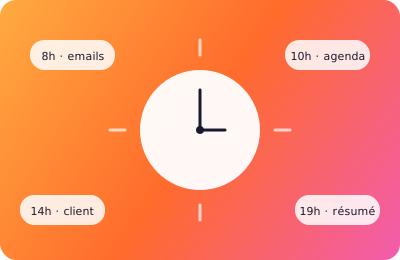
Since Zelly can plug into my apps, my work routine has changed. Here's a real day, as an example of what it looks like.
7:45am — Coffee and email
I'm still in my pyjamas, coffee in hand. I message Zelly:
"Read my overnight emails and tell me what's urgent."
Three seconds later, I have a summary: a client asking for feedback on the quote (urgent), a supplier invoice (to pay this week), three newsletters (can wait).
I reply: "Reply to the client Dupont confirming we'll send the feedback this morning."
Done. The email's sent. I haven't even opened Gmail.
9:30am — Planning the week
First message from my business partner: "Can we fit in a team meeting this week?"
I open the Zelly conversation:
"Find me an hour this week when I'm free in the afternoon, ideally Thursday."
Immediate reply: "Thursday 2–3pm or Friday 3–4pm are free in your calendar."
I choose. "Block Thursday 2–3pm, title 'Team meeting', and send an invite to my business partner."
Three actions, one sentence. Without opening Google Calendar.
2pm — The client meeting
Before my 3pm meeting with a new prospect, I ask:
"Get me ready for my meeting with Anna at 3pm. Look at our recent emails."
In 30 seconds Zelly gives me: the context (quote sent 10 days ago, she was unsure about the scope), the questions to anticipate, and a reminder of the key points.
I arrive prepared, without scrolling a single email thread.
7pm — The day's wrap-up
In the evening I send: "Sum up my day for me."
It lists the emails received and sent, the meetings held, and — most importantly — it asks: "This morning you told me to remind you to pay the supplier invoice. Want me to add it to your to-do for tomorrow?"
Yes.
What it really changes
It's not that I save time (though I do). It's that I carry far less mental load. No more having to remember to reply to so-and-so, check my availability, write the email, add the meeting. One sentence, done.
It's not a workflow to configure. It's a conversation. And that's the difference.
If you want to see what it does for you, create your assistant in 60 seconds. 7-day free trial, no commitment.